
NxCore States - Generating State Files, Recovering with State
Files, Jumping to Specific Tape Times with State Files.
The two most common question we hear from new NxCore users both regard how to jump to specific points in time when processing from the NxCore API:
These are the two most common issues/requests new NxCore users ask. New customers and even advanced NxCore users may not be aware of the full potential State Files offer. NxCore is a whole market-feed processing system. As such, it must process tapes from the start of the day in order to properly populate and maintain internal data structures through all corrections and exchange messages. NxCore is, however, capable of saving it's internal state at any time and restarting from that point using the saved state. For instance, if state files are being generated in 1 minute intervals then an application can jump to the real time buffers (within 1 min) quickly and begin processing trades and quotes from that time forward. The caveat to this however is that all messages (Category, Symbol Changes, etc) that were generated prior to the time the state was saved will not be regenerated when starting from a State Tape. While some of this information is saved properly in the current state (such as High-Low-Close-Open-Volume), many items (such as Company names for equities) are not. For a more detailed explanation of NxCore states please Click Here. To demonstrate the three concepts of state file usage, we have written three specific sample applications. Please contact support@nanex.net to request the 'Advanced State Sample Package" which oncludes all executables, projects and source code for these applications. All NxCore customers may use or modify the applications to meet their own needs. Generating State Files As state files can be crucial to developers needing to quickly jump to any point in time on the tape, we have developed a State Writer application. The application allows you to generate state files from historical tapes or in real time, allows you to specify the granularity of state file generation (to 1 min resolution) and offers a variety of other options. The application uses minimal resources and can be run in the background as it consumes nearly 0% CPU. 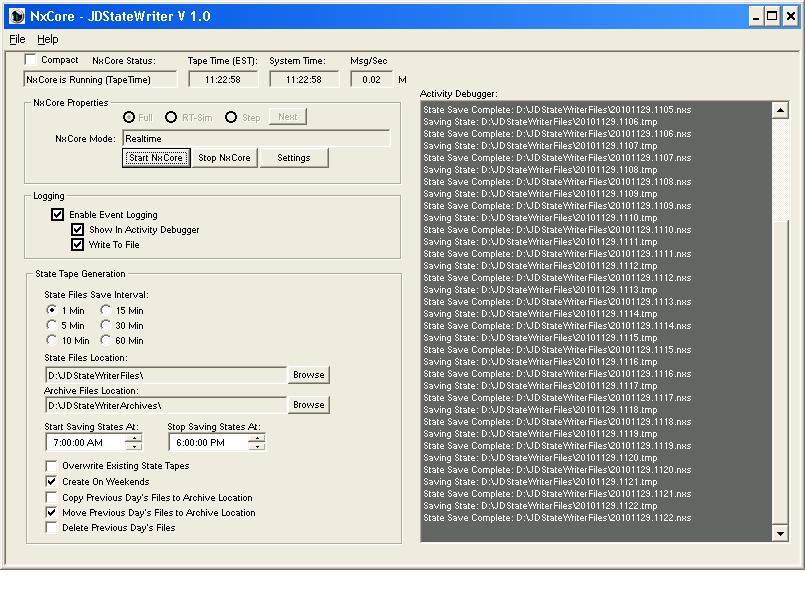 While your production application is perfectly capable of both generating and loading state files, we recommend generating State Files outside of your main application (such as using this stand-alone example) for 3 reasons:
Please see the documentation included with the project for details of operation and settings. Both executable and source code are provided. You are free to modify and use the project to meet your own needs. Recovering with State Files We have written a small shell application that demonstrates loading from a state file generated from the StateWriter app and continuing playing a tape from that point forward. This application also demonstrates generating your own symbol spin when a state file is loaded, as symbol spins are not generated automatically when NxCore is loaded from State files. 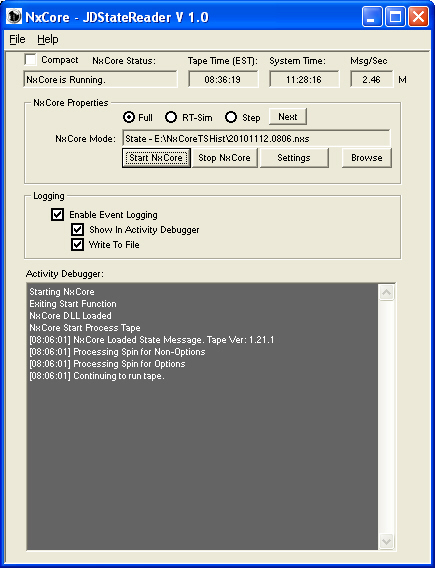 Please see the documentation included with the project for details of operation and settings. Both executable and source code are provided. You are free to modify and use the project to meet your own needs. Jumping to Specific Tape Times with State Files As a more advanced example we have also written a Time and Sales viewer application that allows you to jump from specific time to specific time during the tape and view trades and quotes for any given symbol. The application loads state files generated from the StateWriter app. for the specified starting time and continues to stream data for the symbol of interest, for the time duration specified. 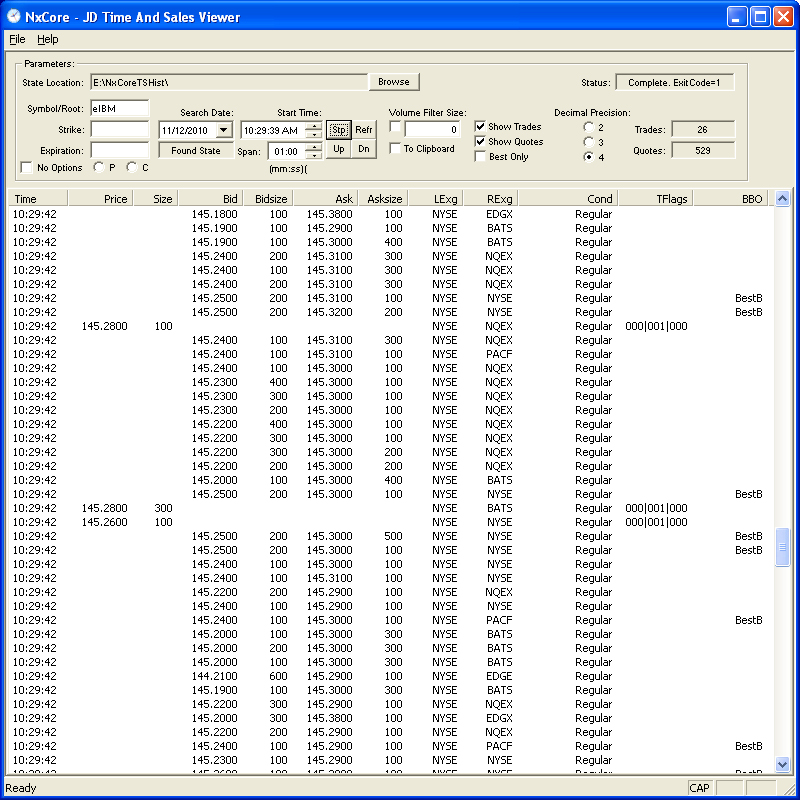 Please see the documentation included with the project for details of operation and settings. Both executable and source code are provided. You are free to modify and use the project to meet your own needs. |